 Gazelle
If you want to make your business simpler, more efficient, and keep all your clients organized in one place, you're in the right spot.
Randy Cassotto
Piano technician for 21 years, founder of Pianobooker and Cassotto Levers

Pianobooker keeps every client and every piano on file, reminds them when they're due, and lets them book themselves into your week. Built by a piano technician, from the makers of Cassotto Levers & Prestige Tips.
Free for up to 5 clients. No card needed.
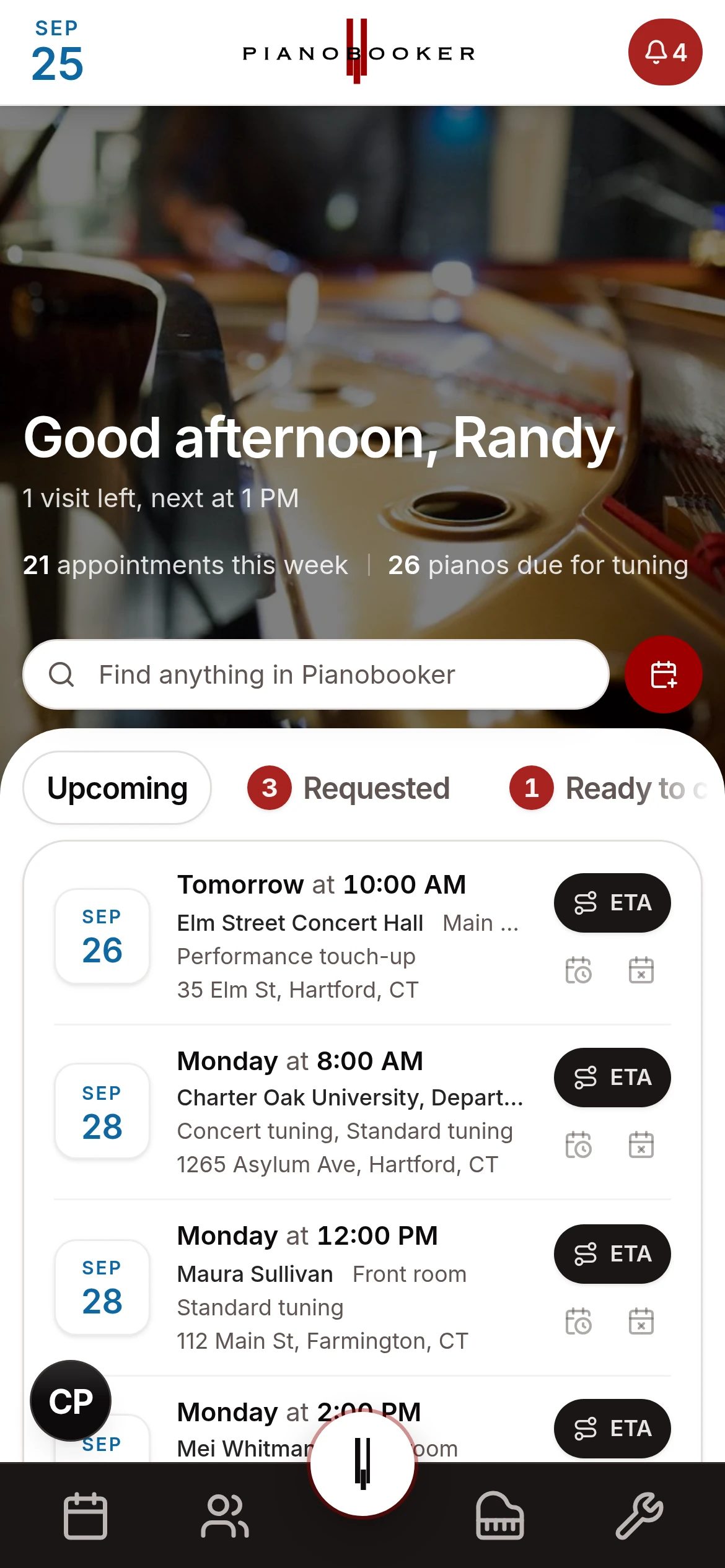
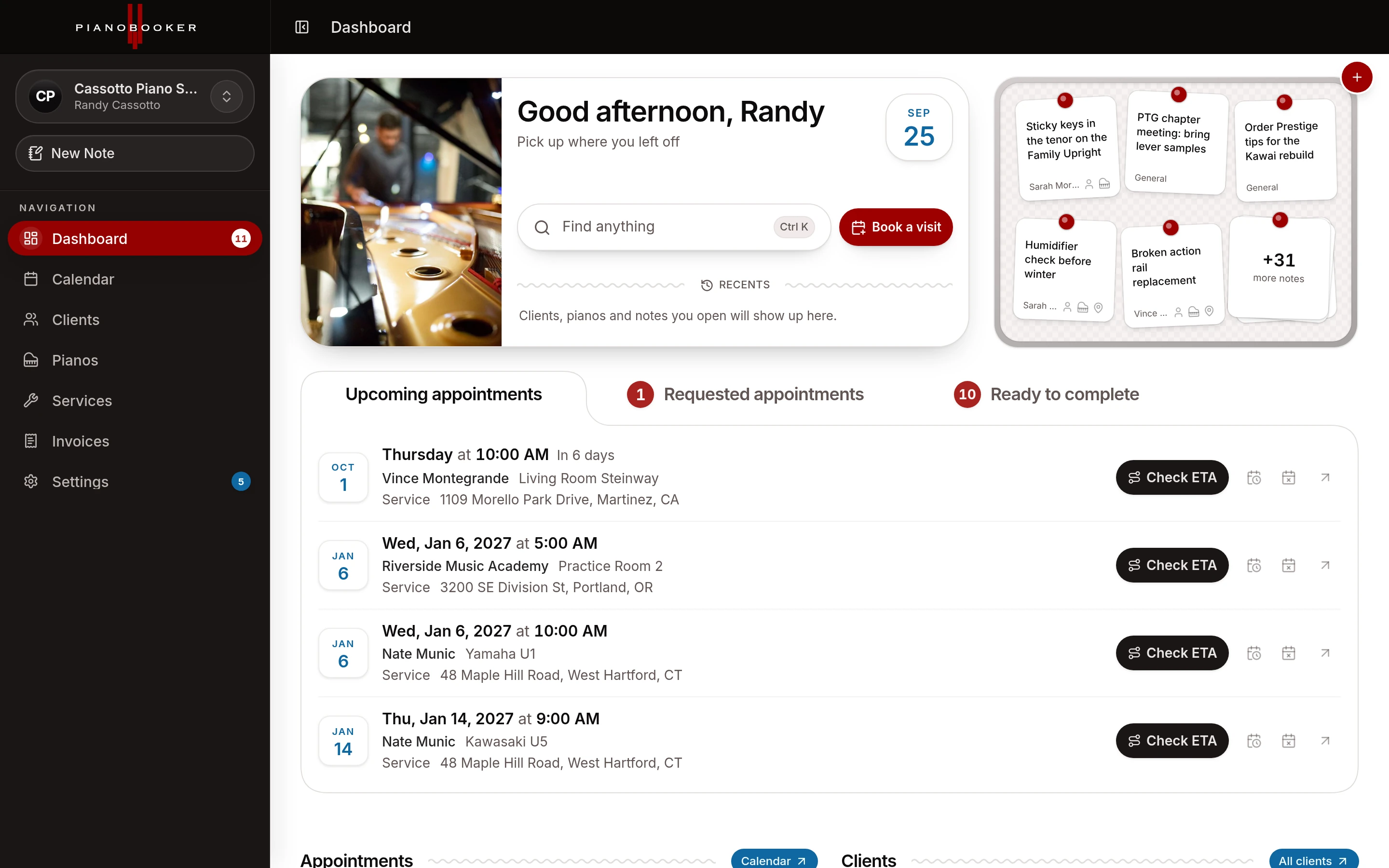
The phone tag, the sticky notes, the “wasn't I due in spring?” emails. Here's what happens without you lifting a finger.
A client calls for a tuning. Pianobooker reads your week, measures the drive from the appointments you already have and suggests the slots that fit your route, with the reason for each. Pick one and it's booked.
When a piano comes due, the owner gets an email or text with a link to book, and a follow-up if they let it slide. They pick a time, you approve it with a tap, and the confirmation and day-before reminder go out on their own, whether you're at the office or halfway through a regulation.
Check the drive to your next client against live traffic with one tap. If the last job ran long, Pianobooker suggests a friendly running-late text with your new arrival time already written. Tap send and get back on the road.
Talk through the visit on the way back to the car. Pianobooker is tuned for piano work, from cents and hammers to humidity, and turns your ramble into a logged visit: the tuning, the readings, the issues to watch and when the piano is due next.
Send estimates clients approve online, and invoices straight from the visit you just finished. Pianobooker keeps the books: what's paid, what's owed and who by, whether they pay by check, cash or Zelle. Card payments from the email are coming soon. If you only used QuickBooks to send invoices, you can stop paying for it.
Connect your Gazelle account and bring over every client, piano and past visit with its pitch and humidity readings, plus the appointments already on your calendar. Keep each piano's tuning schedule if you want it, and nothing goes out to your clients during the move.
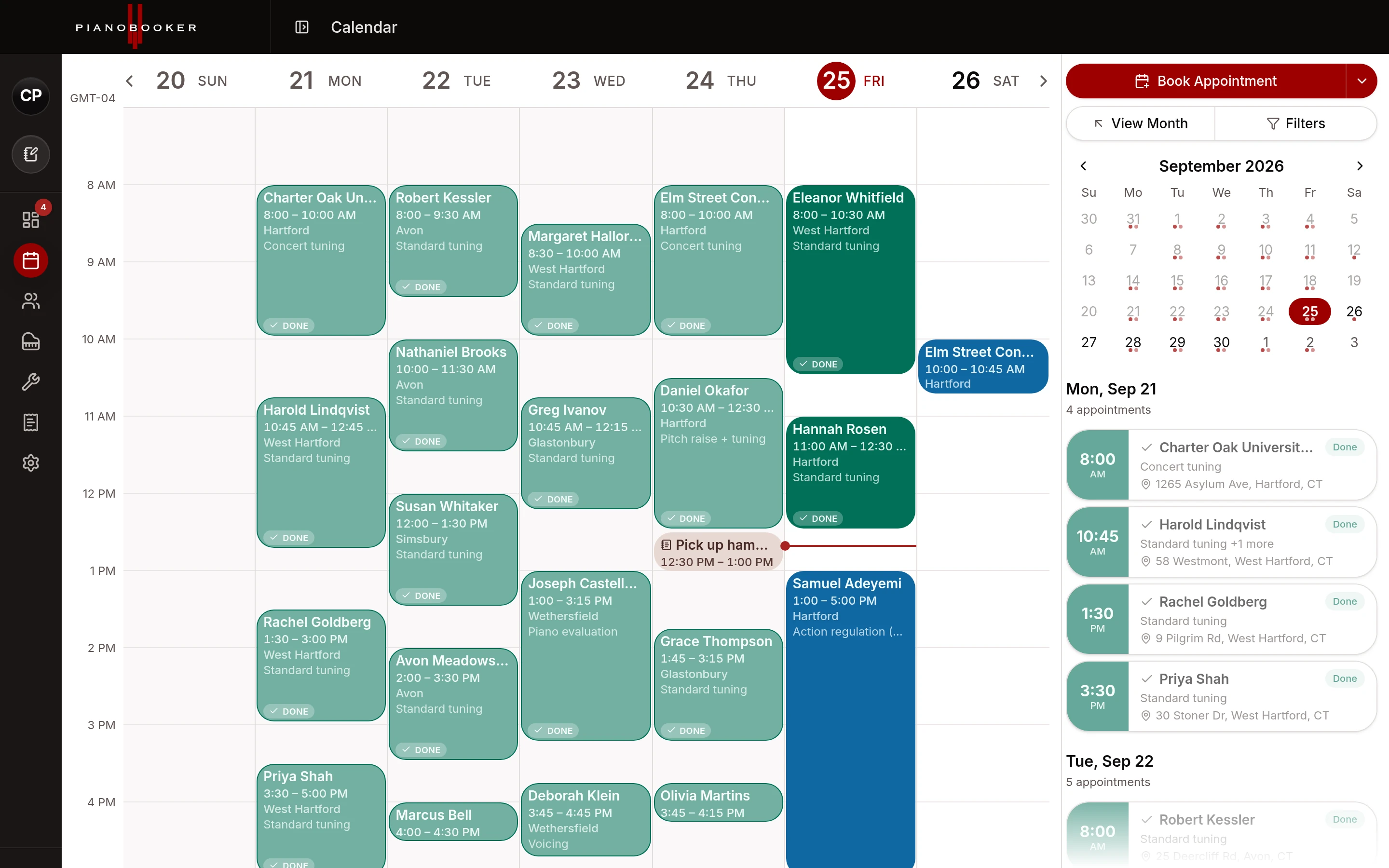
Every visit with its client, town and service, with your notes and blocked time alongside. Week, month and year on the desktop, and an agenda on your phone that keeps up.
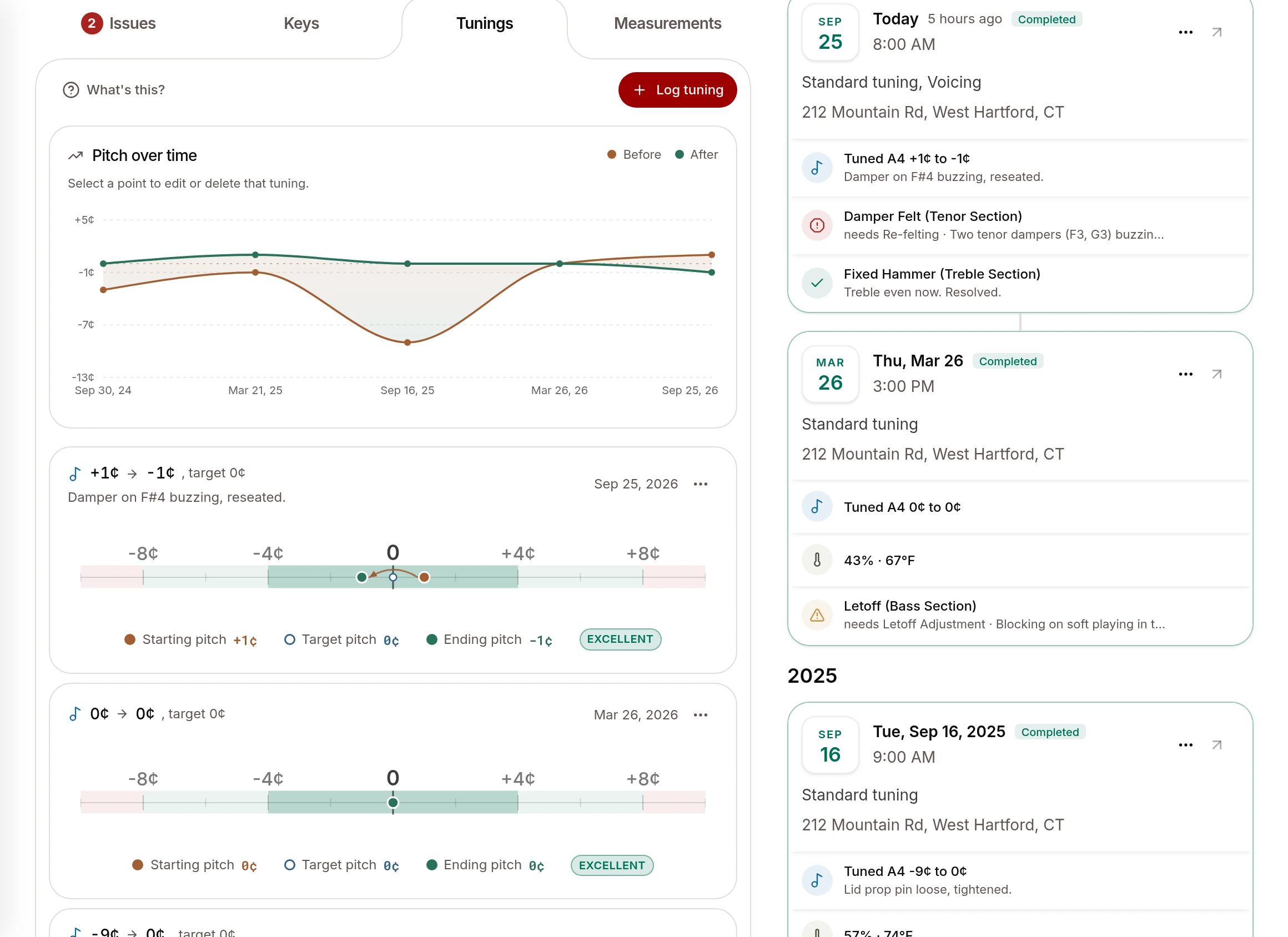
Every tuning, repair and measurement lives on the piano's own record. Pianobooker knows when each one is due, logs humidity at every visit, and turns your findings into a condition report the owner can keep.
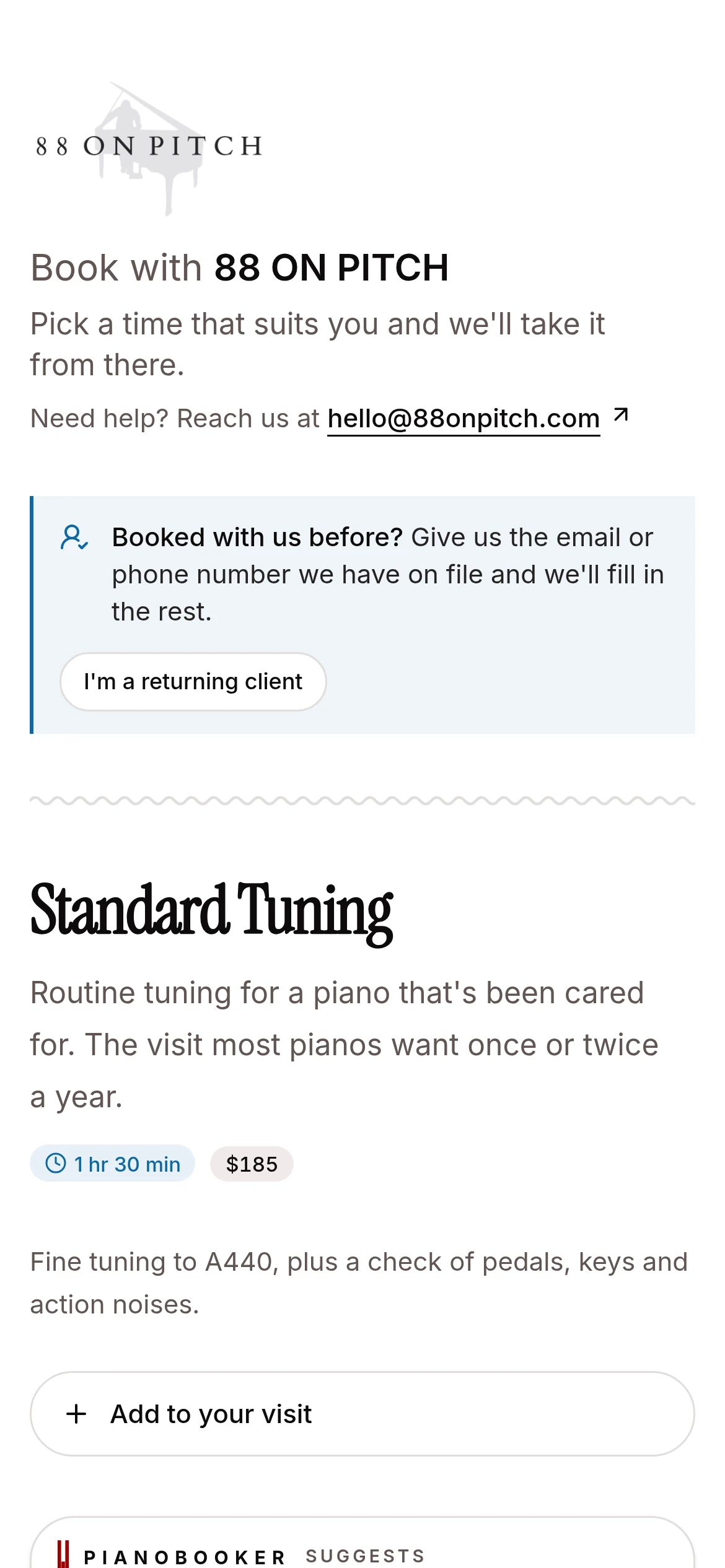
Your logo and colors on the booking page, the emails and the estimates and invoices clients see. Clients pick from your services, your prices and your hours, and nothing lands on the calendar until you approve it.
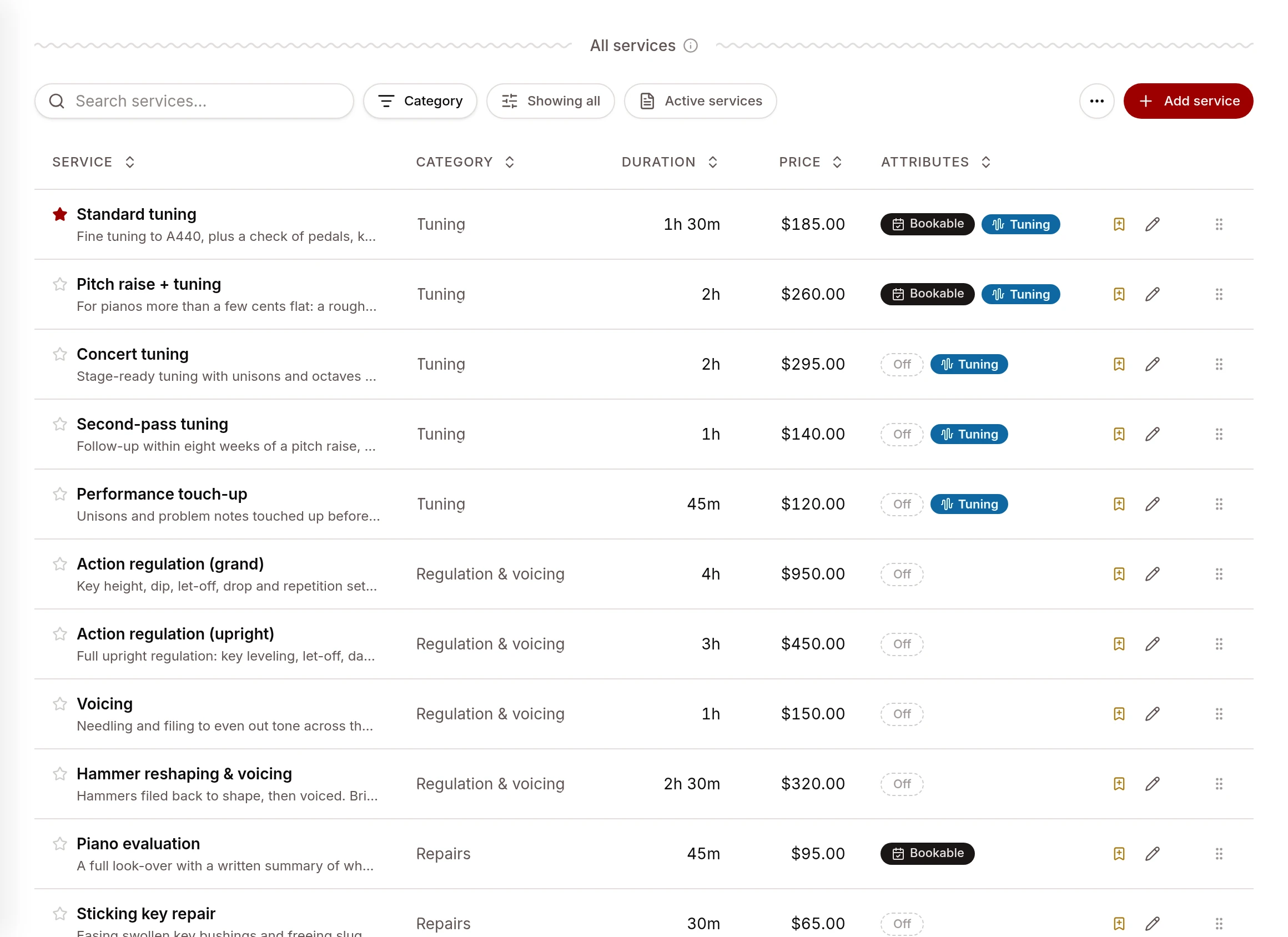
Add or remove any service with its price and time estimate, group them into packages, and let clients add extras like a pedal regulation to their routine tuning.
Pianobooker is built by a dedicated team of software professionals who care about getting it right. A new scheduling app seems to pop up every month, thrown together in a weekend. Pianobooker isn't one of them: it's built to be secure and fast, with real craft in every small detail.
Every request is checked against your workspace, so your clients' details are only ever seen by you and your team.
Pages open instantly and update live, so a booking made on your laptop is already on your phone. We measure speed on every change so it stays that way.
Designed for the phone in your pocket as much as the desk. Every change is checked on iPhone, iPad and Android before it reaches you, right down to the color of the status bar.
Scrolling past a menu never pops it open. A text that fails to send says so, with a retry, instead of pretending. The button on a visit always offers the next step. We sweat hundreds of little things like these so the app just feels right.
There's a Feedback button on every screen. Say what's bugging you, type a line or record your screen, and it goes straight to the people building Pianobooker.
Updates land continuously, with no upgrade to install, and many start as a technician's request. What's New in the app shows you what changed.
See your schedule as it happens. Subscribe from Google, Apple or Outlook and your jobs sit next to the rest of your life.
Record issues and measurements at every visit and send the owner a report they can keep.
Set how far you'll drive, measured in real drive time, and see your area on a map.
Install Pianobooker like an app and get a notification the moment a client books.
The bigger plans hold more active clients than one technician can tune, so you choose who stays on your route.
One search across every client, piano and note you've ever saved.
If you want to make your business simpler, more efficient, and keep all your clients organized in one place, you're in the right spot.
Randy Cassotto
Piano technician for 21 years, founder of Pianobooker and Cassotto Levers
Start on the Free plan with up to 5 clients. No card and no time limit.
Import from Gazelle, your phone or a spreadsheet, and we will help move your clients, appointments and reminders over.
Share your booking page, let the reminders run, and spend the day tuning instead of chasing the calendar.
Every plan has every feature and unlimited pianos. Plans differ only by how many active clients you keep, and you can move up or down whenever your book changes. Every plan is about half off until January 31, 2027.
Just want to try it? The Free plan holds 5 clients, with no card and no time limit. Compare every plan
$29/month, then $59
A part-time book, or one you're winding down.
150 active clients
Unlimited pianos
Every feature
$69/month, then $149
A full solo book with room to breathe.
500 active clients
Unlimited pianos
Every feature
$99/month, then $199
More clients than one full-time technician can usually tune.
800 active clients
Unlimited pianos
Every feature
$119/month, then $249
The biggest book, so you choose who stays on your route.
1,200 active clients
Unlimited pianos
Every feature
Create your account in a minute and try it on your own clients. We'll help you move your clients, appointments and reminders over from Gazelle, your phone or a spreadsheet, so you won't skip a beat.