Your whole season on one screen.
Week, month and year views on the desktop, and an agenda built for the phone. Every visit shows who, which piano and where, and the drive to and from the visits either side is one hover away.
Right-click any empty time to book a visit, block time, add a note or add a break.
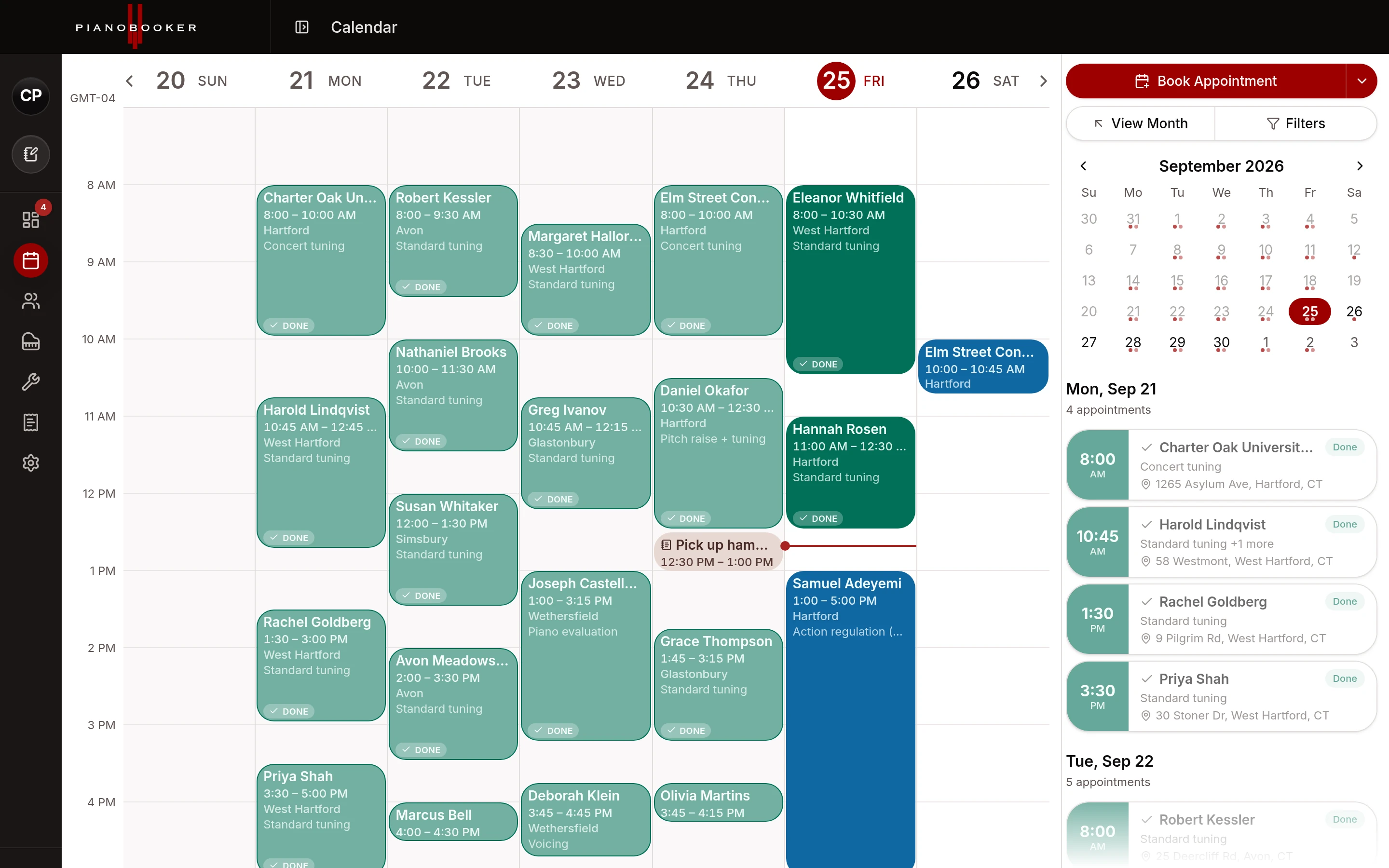
What the calendar does for you.
Views that match how you plan
Week for the days ahead, month for the shape of the season, year for when you are planning around a school's spring recital. On a phone the calendar becomes an agenda: a strip of the week across the top and the day's visits below, with a month agenda too.
Blocked time and breaks
Block off a morning for a rebuild in the shop, or set a lunch break that repeats every weekday. Blocked time can repeat weekly on the days you choose, and clients can never book over it. A break can carry an address, so lunch at home counts in the day's driving.
The drive between visits
Hover a visit to see the drive from the one before it and to the one after it. Where a drive has not been measured yet, one tap checks it.
Show only what matters
Show or hide breaks, blocked time and notes, hide canceled, completed and no-show visits, and switch between your business's time zone and your own when you are travelling.
Requests wait for you
Nothing a client books goes on your calendar until you say so. Approve a request as a new client or match it to one you already have, or decline it and keep the lead for later. Reschedule and cancel requests from clients wait for you too.
On your phone's calendar too
Subscribe from Google Calendar, Apple Calendar or Outlook with one click and your Pianobooker visits appear there, from the last month to a year ahead, next to the rest of your life. It is a one-way feed: you book and change visits in Pianobooker, and your other calendar follows.
Questions & answers
Does it sync both ways with Google Calendar?
How quickly do changes reach my phone's calendar?
Can I drag appointments to move them?
Can I keep my link private?
Try it on your own clients.
Start on the Free plan with up to 5 clients, no card needed, and move up when your book does. Or talk to Randy about how it would fit your business.